Presets for every part of your day
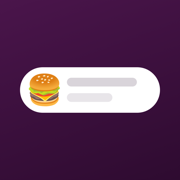
Start with Lunch, In a meeting and Focusing, or make your own on your iPhone with any Slack emoji.
 Status for Slack
Tap a preset on your Apple Watch. Your status is set before your arm is back down.
Free for iPhone and Apple Watch
Try it. Tap a preset.
Start with Lunch, In a meeting and Focusing, or make your own on your iPhone with any Slack emoji.
Each preset expires after 15 minutes to 4 hours, or at a time of day. No more “In a meeting” at midnight.
Say it to your watch or iPhone, or add the actions to any Shortcuts automation.
Your Slack sign-in stays on your iPhone and Apple Watch. No accounts, no analytics, no tracking. Privacy policy
Install Status for Slack, sign in with Slack on your iPhone, then open the app on your watch and tap a preset. Your status and emoji update in Slack right away.
Yes. Every preset has an expiry, from 15 minutes to 4 hours or until a time of day, and Slack clears the status when it runs out.
Say “Set Status to Lunch” or “Clear Status” on your iPhone or watch, or use the actions in a Shortcuts automation, like setting Focusing when a Focus mode turns on.
It works with any Slack workspace. Some workspaces only allow apps an admin has approved, so you may need to ask yours. More help
You'll need a Slack workspace. Some workspaces ask an admin to approve new apps.
Download on the App Store